
Learn how to create a professional site with this website design tutorial for beginners. Master WordPress services, pricing, and standards-based development.
Quick Insights
- Core Fundamentals: Transition from basic site setups to high-performance WordPress architecture.
- Standards-Based Development: Understand why W3C compliance and clean code are critical for global scalability.
- Cost Management: Gain clarity on web design pricing structures to maximize long-term ROI.
- Performance Metrics: Learn to prioritize Core Web Vitals, SEO-first structures, and mobile responsiveness.
- Security Protocols: Implement advanced SSL, GDPR/CCPA frameworks, and automated redundancy backups.
Which strategies define a website design tutorial for beginners?
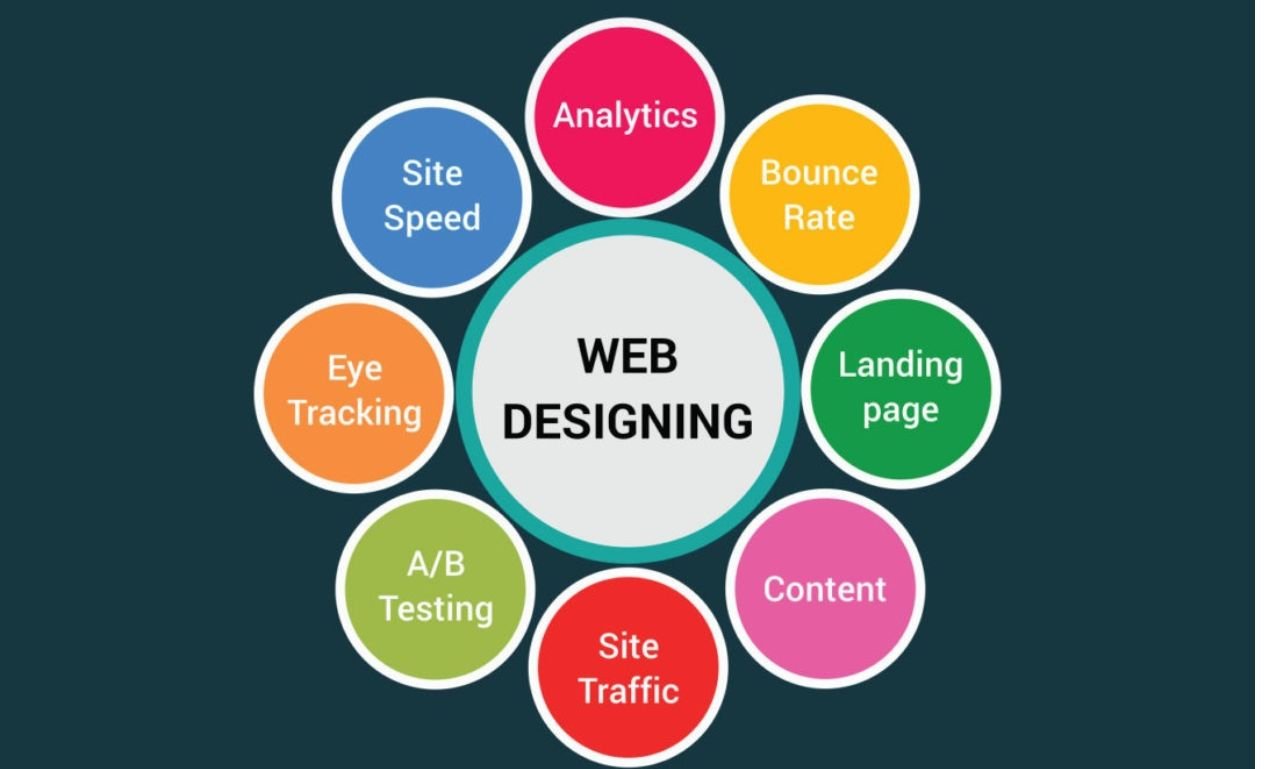
Building a world-class digital presence requires a shift from simple aesthetics to strategic engineering. This website design tutorial for beginners serves as a roadmap for business owners who demand a professional, high-converting platform that functions seamlessly across all global jurisdictions.
Modern WordPress services are no longer just about publishing content; they are about creating a trustworthy ecosystem. By adhering to professional web design concepts, you ensure that your site remains fast, secure, and accessible to a diverse international audience.
The goal for any decision-maker is to invest in standards-based development. This approach minimizes technical debt and ensures that your digital assets remain viable as technology evolves. A website design tutorial for beginners must therefore emphasize the marriage of user experience and technical rigor.
Why did WordPress standards and best practices emerge?
WordPress standards were established to solve the problem of code fragmentation and insecurity in the early web era. As the platform scaled to power 43.2% of all websites globally, the need for a unified development language became paramount. The WordPress Coding Standards (WPCS) were created to ensure that every theme, plugin, and core update could communicate without conflict.
Historically, these practices emerged to protect the user. By following standardized protocols, developers moved away from proprietary “black box” systems toward open, maintainable, and scalable architectures. This shift transformed WordPress from a blogging tool into an enterprise-grade Content Management System (CMS) capable of handling millions of concurrent visitors.
What are the current requirements for professional web design?
The current requirements for a successful site center on performance, security, and compliance. A website design tutorial for beginners today must address the fact that 53% of mobile users will abandon a site if it takes longer than 3 seconds to load.
To meet modern professional web design concepts, a site must integrate:
- Lighthouse Optimization: Scoring high in Performance, Accessibility, Best Practices, and SEO.
- Hardened Security: Utilizing SFTP, Enterprise Firewalls, and DDoS protection.
- Responsive Fluidity: Using CSS Grid and Flexbox to ensure the site looks perfect on every screen size.
- Technical Compliance: Ensuring all forms and tracking methods align with GDPR and ePrivacy directives.
Technical Performance Anchor: Standard vs. Professional
| Feature | Basic DIY Setup | Professional WordPress Service |
| Average Load Time | 3.5s – 5.0s | 1.2s – 2.1s |
| Mobile Readiness | Template-reliant | Custom Breakpoints |
| SEO Foundation | Manual Metadata | Automated Schema & JSON-LD |
| Code Quality | High Bloat | Minified & Clean Code |
| Security Layer | Basic SSL | End-to-End Encryption |
How do you calculate web design pricing and long-term ROI?
Web design pricing is often misunderstood as a one-time expense rather than a capital investment. A professional website design tutorial for beginners explains that pricing is dictated by the depth of custom integration, database optimization, and conversion rate optimization (CRO).
High-quality WordPress services focus on the Return on Investment (ROI). Statistics show that every $1 invested in UX results in a return of up to $100, a 9,900% ROI. Professional development reduces maintenance costs and prevents the “invisible” loss of revenue caused by slow loading times or broken user journeys.
“The true cost of a website is not its initial build price, but the revenue lost through poor performance and lack of scalability. In a global market, technical precision is the only sustainable competitive advantage.”
— Elena Rodriguez, Lead Digital Strategist
What does the future of WordPress and scalability look like?
The future of WordPress is defined by Full Site Editing (FSE) and the rise of Headless WordPress architectures. As we look forward, the platform is moving toward a more modular approach, allowing for decoupled front-ends that offer unparalleled speed and security.
Future-ready sites will prioritize:
- AI Integration: Utilizing machine learning for personalized user experiences and automated content tagging.
- WebP and AVIF Adoption: Standardizing next-gen image formats to reduce page weight by up to 30%.
- Global Edge Caching: Delivering content from servers closest to the user to reduce latency to near-zero.
By following this website design tutorial for beginners, businesses can prepare for these updates today, ensuring their site is scalable enough to grow from 1,000 to 1,000,000 users without a total rebuild.
How do you execute a professional website design tutorial for beginners?
Execution requires a disciplined development lifecycle that prioritizes testing and validation. Professionals never develop on a live site; they use staging environments to ensure that every update is stable before it reaches the public.
The professional workflow includes:
- Discovery & Sitemap: Mapping the user journey to maximize conversions.
- Prototyping: Creating interactive models to test usability.
- Development: Building with PHP 8.x, HTML5, and modern JavaScript frameworks.
- Optimization: Continuous monitoring of Core Web Vitals and server response times.
Establishing Global Authority through WordPress Excellence
Achieving a dominant digital presence requires more than just following a website design tutorial for beginners; it requires a commitment to excellence. By integrating professional web design concepts with standards-based development, you create a platform that is not only beautiful but also a powerful business tool.
The long-term benefits of a professionally managed site include higher search engine rankings, increased user trust, and a scalable architecture that adapts to your business needs. In an increasingly crowded digital marketplace, the quality of your web infrastructure is a direct reflection of your brand’s authority and reliability.
Contact WPCarePoint today to get started.
Thanks for reading our article.
Developer at WPCarePoint
Booking for 30-minute Free Consultation on Google Meet: Click here for an appointment today.
contact@wpcarepoint.com
www.wpcarepoint.com