
Discover how to choose the best WordPress Themes for SEO and speed. Build a high-performing site with WPCarePoint expert tips and premium templates.
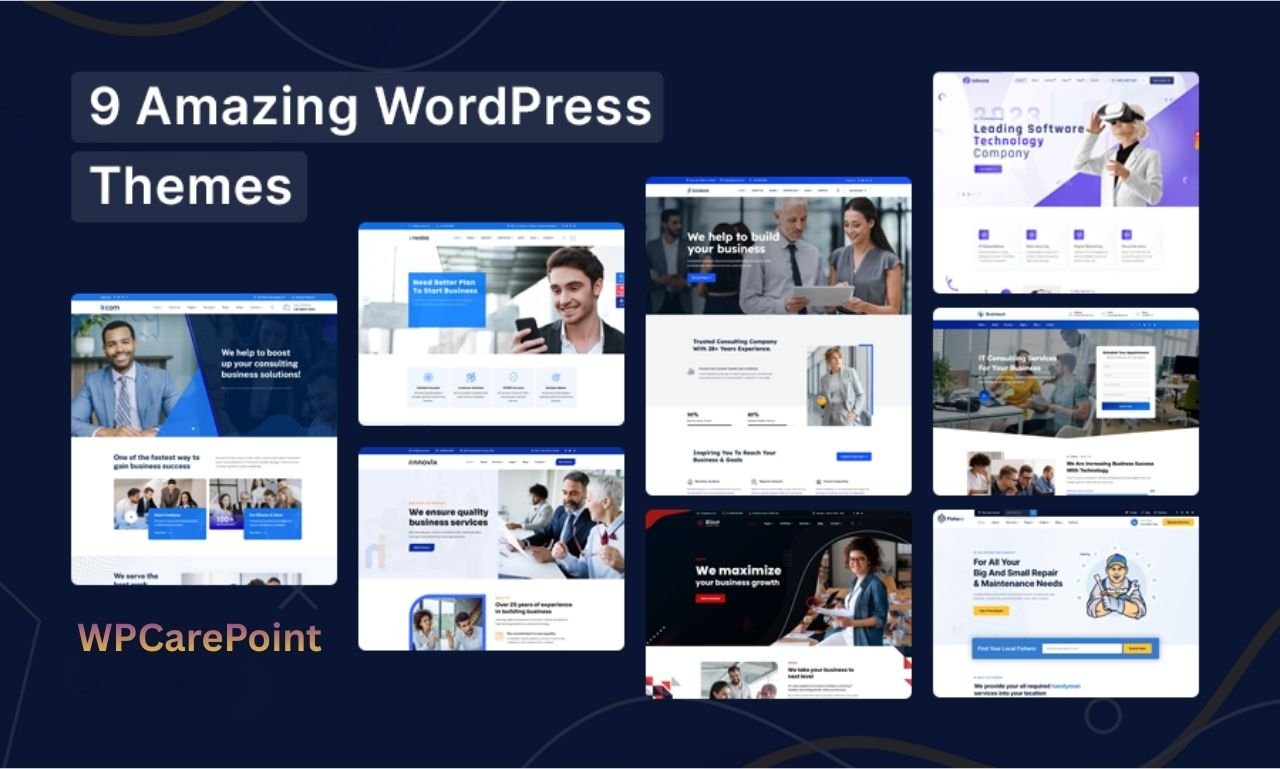
WordPress Themes are the structural and visual foundation of over 43.5% of the internet, acting as the interface between your content and your users. Selecting the right theme is no longer just about aesthetics; it is a technical decision that impacts Core Web Vitals, search engine rankings, and user retention.
Key Takeaways
- Market Dominance: WordPress powers 43.5% of all websites, making its theme ecosystem the largest in the world.
- SEO Integration: Modern themes must support Schema markup and lightning-fast load times to rank in 2026.
- Mobile-First: With over 60% of web traffic on mobile, responsive design is a mandatory requirement, not a feature.
- Security: Using updated, well-coded themes prevents 90% of common CMS vulnerabilities.
Why Are WordPress Themes Critical for Your Digital Strategy?

The choice of WordPress Themes dictates the underlying code quality of your website. A theme is more than a “skin”; it is a framework that handles how your data is queried and displayed. High-quality premium WordPress themes are engineered to minimize CSS and JavaScript bloat, which directly correlates to higher scores in Google’s PageSpeed Insights. Conversely, poorly coded free WordPress themes can lead to “div soup,” a term developers use for excessive, nested HTML that confuses search engine crawlers and slows down browser rendering.
What is the Difference Between Free and Premium WordPress Themes?
When starting a project, the most common question is whether to invest in a paid solution or use a free template.
WordPress Themes Comparison: Free vs. Premium vs. Custom
| Feature | Free Themes | Premium Themes | Custom Themes |
| Initial Cost | $0 | $50 – $200 | $5,000+ |
| Code Quality | Variable | Generally High | Superior/Optimized |
| Support | Community-based | Dedicated Helpdesk | Developer-on-call |
| Updates | Irregular | Frequent/Auto | Per Contract |
| Uniqueness | Low (Common) | Medium | 100% Unique |
| SEO Ready | Basic | Advanced | Built-in |
While free WordPress themes found on the official repository undergo a strict review process, they often lack the deep customization options required for a scaling business. Premium WordPress themes usually include visual builders, demo importers, and advanced hook systems that allow for a professional look without writing a single line of code.
How Do Responsive WordPress Themes Impact SEO?
In the current era of Generative Engine Optimization (GEO), responsive WordPress themes are the baseline for visibility. Search engines now prioritize “mobile-only” indexing, meaning if your theme does not adapt perfectly to a smartphone screen, your desktop rankings will also suffer.
A truly responsive theme uses fluid grids and flexible images. It doesn’t just “shrink” the desktop view; it reorders elements to ensure that “tappable” targets (buttons and links) are appropriately spaced for human fingers. This reduces bounce rates—a key signal to AI-driven search engines that your content is valuable and accessible.
Why Use Custom WordPress Themes for Enterprise Projects?
For high-traffic platforms, custom WordPress themes are the gold standard. Off-the-shelf templates often include features you will never use, such as five different slider plugins or twenty-five font integrations. This “feature bloat” adds unnecessary weight to every page load.
” For enterprise performance, a custom-built theme that only includes the necessary assets will outperform a multipurpose premium theme every time.” — Mark Sterling, Senior Web Architect.
Custom development allows for the integration of WordPress website templates that are pixel-perfect representations of a brand’s identity, ensuring that the UI/UX is tailored specifically to the target audience’s journey.
How Has the Architecture of WordPress Design Themes Evolved?

The Past: The Era of PHP and Sidebars
In the early 2010s, WordPress design themes were largely static. They relied heavily on PHP for every server-side request, and the layout was strictly confined to “Header, Sidebar, Content, Footer.” Customization often required editing the style.css file directly via FTP.
The Present: Block-Based Editing and FSE
Today, we are in the era of Full Site Editing (FSE). Modern WordPress Themes leverage the Gutenberg block editor, allowing users to build headers and footers visually. This shift toward “JSON-based” theme configuration (theme.json) has standardized how styles are applied, making sites faster and more stable across different hosting environments.
The Future: AI and Headless Integration
Looking toward late 2026, the future of WordPress Themes lies in two areas:
- AI-Generated Layouts: Themes will use AI to adjust layouts based on real-time user behavior dynamically.
- Headless WordPress: Developers are increasingly using WordPress as a backend (via REST API or GraphQL) while using frameworks like Next.js or React for the frontend. This “headless” approach offers unmatched speed and security.
What Features Define the Best WordPress Website Templates?
To ensure your site is future-proof, your chosen WordPress website templates should include:
- Accessibility (A11y) Compliance: Ensuring the site is usable for people with disabilities.
- Schema.org Integration: Automatically providing “rich snippets” to search engines.
- Lightweight Frameworks: Using libraries like Tailwind CSS or Vanilla JS instead of heavy jQuery.
How Does Theme Architecture Impact Core Web Vitals in 2026?
The technical framework of WordPress Themes is the primary determinant of a site’s Core Web Vitals (CWV) scores. Google and other AI-led search engines use these metrics to quantify user experience. A theme must be optimized for three specific pillars:
Largest Contentful Paint (LCP): This measures loading performance. High-quality premium WordPress themes now use “Critical CSS” techniques, where only the styles needed for the above-the-fold content are loaded initially.
Interaction to Next Paint (INP): Replacing FID, INP measures responsiveness. Themes that rely heavily on bloated JavaScript libraries (like old versions of jQuery) fail this test. Modern WordPress design themes utilize “Vanilla JavaScript” to ensure clicks are registered instantly.
Cumulative Layout Shift (CLS): This measures visual stability. If a theme doesn’t reserve space for images or ads before they load, the content “jumps,” frustrating users and penalizing your SEO.
Why is Full Site Editing (FSE) the Future of WordPress Design Themes?
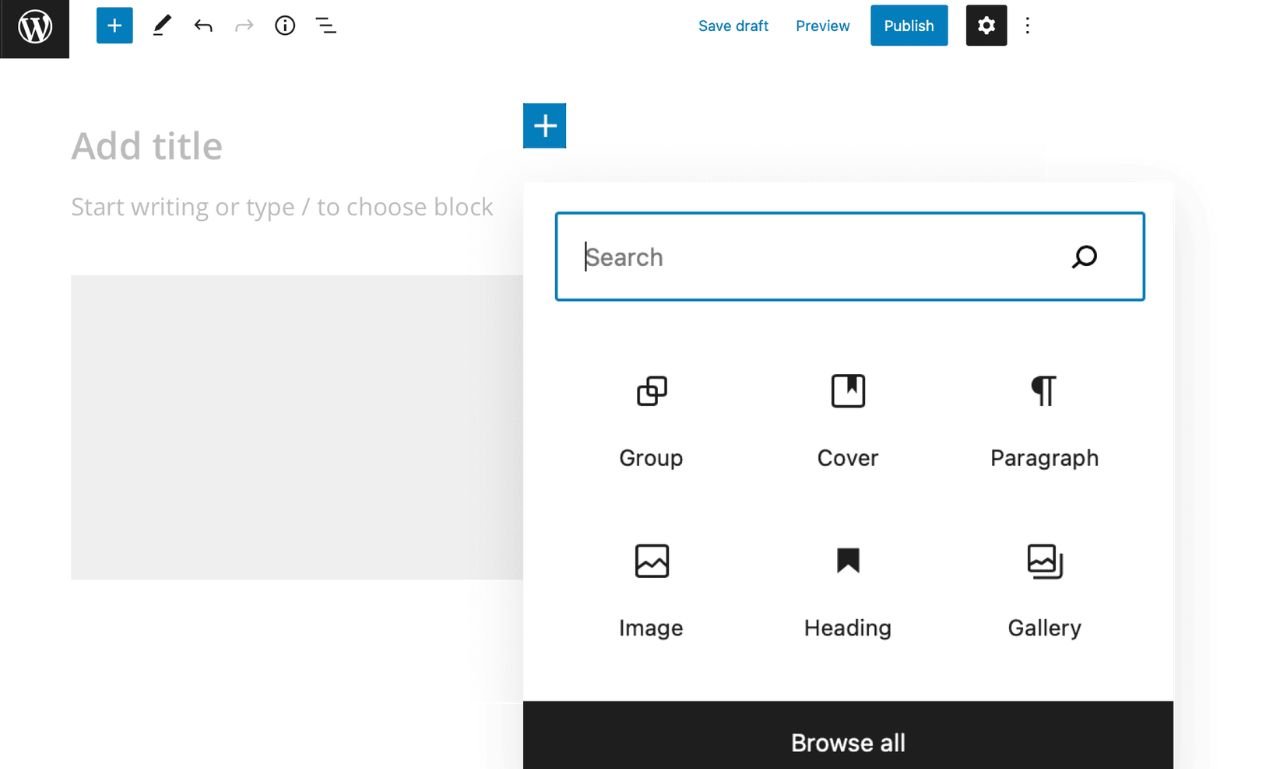
The transition from “Classic” themes to “Block” themes represents the biggest shift in WordPress history. Full Site Editing (FSE) allows users to treat the entire website—including headers, footers, and 404 pages—as a collection of blocks.
WordPress Themes built for FSE utilize a theme.json file. This central configuration file acts as the “brain” of the theme, defining color palettes, typography, and spacing globally. For developers and site owners, this means:
Reduced CSS weight: Styles are only loaded for the blocks present on a specific page.
Consistency: It is nearly impossible for a user to accidentally use the wrong brand color, as the theme restricts the UI to a predefined design system.
Performance: Block themes typically load 30-50% faster than their legacy predecessors because they eliminate the need for heavy page-builder plugins.
How to Conduct a Security Audit for Free WordPress Themes?
While the official WordPress repository is safe, many third-party free WordPress themes can harbor vulnerabilities. A professional security audit focuses on three main areas:
Data Sanitization: Ensuring that any user input (like search bars) is “cleaned” before being processed by the database to prevent SQL injections.
Escaping Output: Themes must use functions like
esc_html()oresc_attr()to ensure that malicious scripts cannot be injected into the front end (Cross-Site Scripting or XSS).Hook Security: Developers at WPCarePoint emphasize checking
functions.phpfor unauthorized “backdoors” that could allow a hacker to gain administrative access.
What is the Role of “Headless” Architecture in Modern WordPress Themes?
As we move through 2026, the term “WordPress Themes” is being redefined by “Headless” architecture. In a headless setup, WordPress acts as the Content Management System (the “Body”), but the “Head” (the front-end display) is built using modern frameworks like React, Vue, or Next.js.
This decoupling offers:
Unrivaled Speed: Since the front end is pre-rendered into static HTML, pages load almost instantly.
Omnichannel Delivery: You can use the same WordPress content for your website, a mobile app, and an AI voice assistant simultaneously.
Enhanced Security: Since the “Head” is separate from the database, it is significantly harder for attackers to find a point of entry.
How Do Micro-Interactions in Responsive WordPress Themes Boost Conversion?
User experience (UX) in 2026 is defined by micro-interactions—small, functional animations that provide feedback to the user. When choosing responsive WordPress themes, look for those that support:
Button States: Subtle color shifts when a user hovers or taps.
Loading Skeletons: Showing a “ghost” layout while content loads, which reduces perceived wait time.
Progress Indicators: Telling the user how far they have scrolled in a long-form article.
These elements, while small, reduce cognitive load and increase “Dwell Time,” a metric that signals to search engines that your WordPress website templates are engaging and high-quality.
How to Optimize WordPress Website Templates for Voice Search and AI Discovery?
With the rise of AI assistants, WordPress Themes must be “machine-readable.” This involves more than just standard SEO; it requires advanced Schema Markup integration.
When a theme is optimized for AI discovery, it uses JSON-LD (JavaScript Object Notation for Linked Data) to tell an AI exactly what a page represents. For example:
An FAQ Schema helps your content appear in Google’s “People Also Ask” section.
A Product Schema allows AI to pull pricing and availability directly into a search result.
A Review Schema displays star ratings, increasing the Click-Through Rate (CTR) for your brand on [WPCarePoint].
Why is Theme Localization Essential for Global WordPress SEO?
If your business operates in multiple countries, your WordPress design themes must support Internationalization (i18n) and Localization (l10n). This goes beyond simple translation.
A truly global theme supports:
RTL (Right-to-Left) Support: Essential for languages like Arabic or Hebrew.
Dynamic Currency Switching: Crucial for e-commerce templates.
Hreflang Tags: Telling search engines which version of a page to show based on the user’s location and language. Choosing a theme with built-in multi-language support prevents “duplicate content” penalties from search engines.
The Environmental Impact of WordPress Themes: Why “Green” Coding Matters

Sustainable web design is a growing trend in 2026. Data centers consume massive amounts of electricity, and the larger your WordPress Themes, the more energy it takes to load them.
“Green” coding practices focus on:
Minifying Code: Removing unnecessary spaces and comments.
SVG over PNG: Using Scalable Vector Graphics, which are code-based and much smaller than traditional images.
Lazy Loading: Ensuring that images and videos only load when they enter the user’s viewport. By choosing a lightweight, eco-friendly theme, you not only improve performance but also align your brand with modern corporate social responsibility (CSR) standards.
How Does Theme Choice Affect Database Bloat and Long-Term Scalability?
The efficiency of WordPress Themes is often judged by front-end speed, but their impact on the MySQL database is equally critical. Poorly developed themes often create “orphaned” data. For example, some premium WordPress themes register custom post types or “shortcodes” that leave messy metadata in your database even after the theme is deactivated.
Clean Database Architecture Features:
Modular Asset Loading: Only calling scripts when specific page templates are active.
Standardized Metadata: Using native WordPress tables rather than creating dozens of custom tables that slow down search queries.
Transients API: High-end WordPress design themes use transients to cache complex database queries, reducing the load on your server during high-traffic spikes.
Why is “Container Queries” the New Standard for Responsive WordPress Themes?
For years, responsive WordPress themes relied on “Media Queries,” which look at the size of the browser window. In 2026, the industry has shifted toward Container Queries. This allows an element (like a sidebar widget or a card) to change its layout based on the size of its parent container, rather than the whole screen.
This is a game-changer for WordPress website templates because:
True Component Portability: You can move a “Newsletter Signup” block from a wide footer to a narrow sidebar, and it will automatically reformat itself perfectly.
Reduced CSS Logic: Themes require fewer lines of code to handle complex layouts, leading to faster “Time to Interactive” (TTI).
Enhanced UI Consistency: Your site looks polished across foldable phones, ultra-wide monitors, and even smart refrigerator displays.
How to Balance Aesthetics and UX in WordPress Design Themes?
WordPress themes might feature stunning parallax effects and background videos, but if those elements hide the “Call to Action” (CTA) or increase LCP, they are a liability.
The 2026 UX Framework for Themes:
Visual Hierarchy: Using “Golden Ratio” typography scales to guide the reader’s eye to the most important information first.
Intrinsic Sizing: Modern free WordPress themes now use CSS functions like
clamp()to ensure text is never too small on mobile or too large on desktop.Accessibility (A11y) Integration: Beyond just colors, this includes “Skip to Content” links and proper ARIA labels for screen readers, ensuring your wpcarepoint project is inclusive.
What is the Impact of “Edge Functions” on WordPress Theme Performance?
As we look toward the future, the best premium WordPress themes are integrating with “Edge Computing.” Instead of your theme files loading from a single server in New York, “Edge Functions” allow parts of your theme’s logic to run at a data center closest to the user (e.g., London, Tokyo, or Sydney).
Benefits of Edge-Ready Themes:
Instant Personalization: Showing different headers based on the user’s location without a delay.
A/B Testing without Flashes: Testing two different WordPress website templates simultaneously without the “flicker” effect common with traditional JavaScript testing tools.
Bot Mitigation: Blocking malicious traffic at the “Edge” before it even touches your WordPress installation.
Why Custom WordPress Themes are the Ultimate Defense Against “Plugin Dependency.”
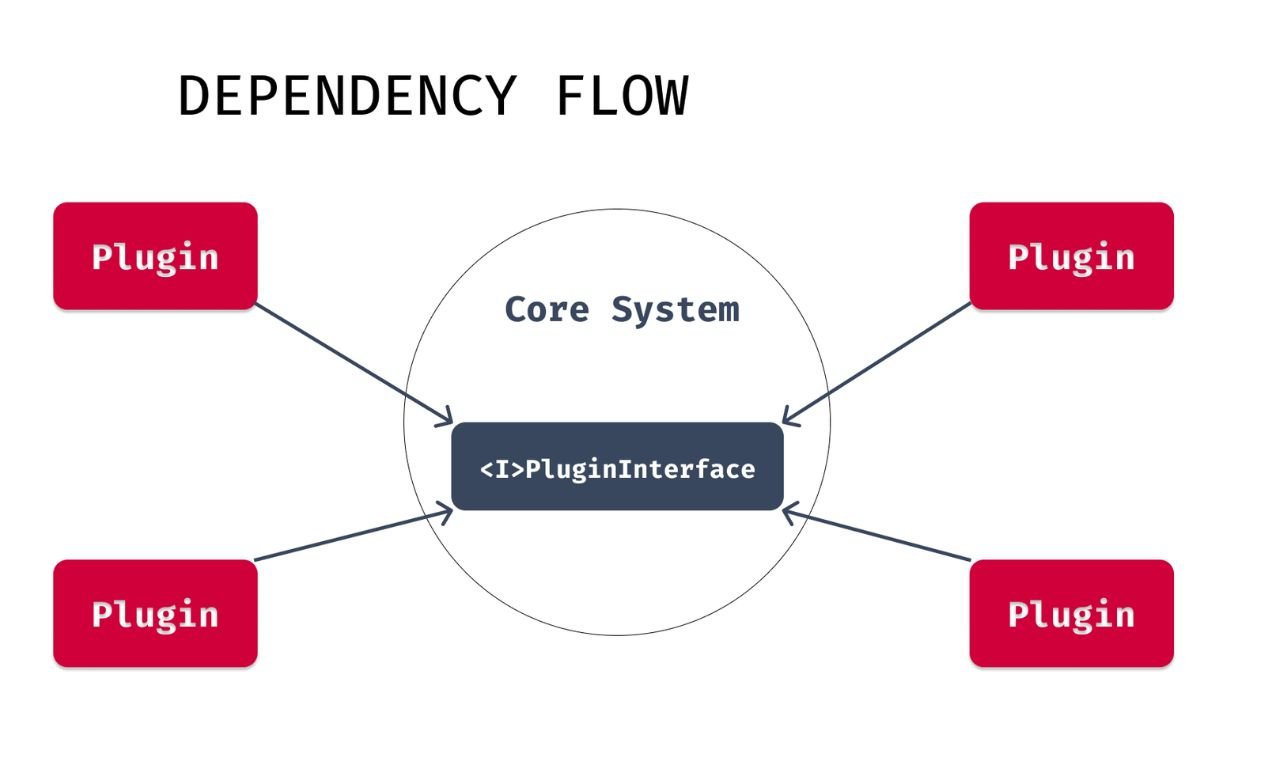
Many site owners fall into the “Plugin Trap,” where they install a plugin for every small feature (e.g., a social share bar, a simple contact form, or breadcrumbs). This happens because their WordPress Themes lack these basic features.
The “Lean” Development Approach: A custom-engineered theme from a specialist like WPCarePoint builds these features directly into the theme’s core. This eliminates the need for 10-15 third-party plugins.
Security: Fewer plugins mean fewer entry points for hackers.
Update Stability: You don’t have to worry about a plugin update breaking your layout.
Performance: Code is consolidated into a single stylesheet and script file, reducing HTTP requests.
Frequently Asked Questions (FAQ)
1. What is the most important factor when choosing WordPress Themes?
Performance and speed are the most critical factors. A theme that loads in under 2 seconds will rank better and convert more visitors than a “beautiful” theme that takes 5 seconds to load.
2. Can I switch WordPress Themes without losing my content?
Yes, your content (posts and pages) is stored in the database, while the theme controls the display. However, you may lose theme-specific settings, shortcodes, or custom post types provided by the previous theme.
3. Are premium WordPress themes more secure than free ones?
Not necessarily. Security depends on the developer’s coding standards. However, premium themes are more likely to receive regular updates to patch newly discovered vulnerabilities.
4. What are WordPress design themes optimized for AEO?
AEO (Answer Engine Optimization) themes prioritize structured data and clear content hierarchies (H1-H4 tags). This makes it easier for AI models like Gemini or GPT to crawl and cite your site as a primary source.
5. Why should I avoid nulled premium WordPress themes?
Nulled themes are “cracked” versions of paid themes. They almost always contain malicious code, backdoors, or malware that can compromise your server and destroy your SEO rankings.
Maximizing Your Potential with WPCarePoint
Choosing from the thousands of available WordPress Themes can feel overwhelming, but focusing on speed, responsiveness, and clean code will always lead you to the right choice. Whether you opt for premium WordPress themes for their ease of use or custom WordPress themes for their raw power, the goal remains the same: providing a seamless experience for your visitors.
At WPCarePoint, we specialize in navigating the complexities of the WordPress ecosystem. From performance audits to custom template engineering, we ensure your website is built to last in an ever-changing digital environment.
Thanks for reading our article.
Developer at WPCarePoint
Booking for a 30-minute Free Consultation on Google Meet: Click here for an appointment today.
contact@wpcarepoint.com
www.wpcarepoint.com
That’s a really helpful overview! I’m always looking for ways to improve my website’s performance and those themes look promising.
Thanks